Turning Smart Campaign guesswork into calls a Reno auto shop could count
Smart Campaigns were counting directions lookups as results. We rebuilt the account by service and location and tracked real calls and form submissions.
Results
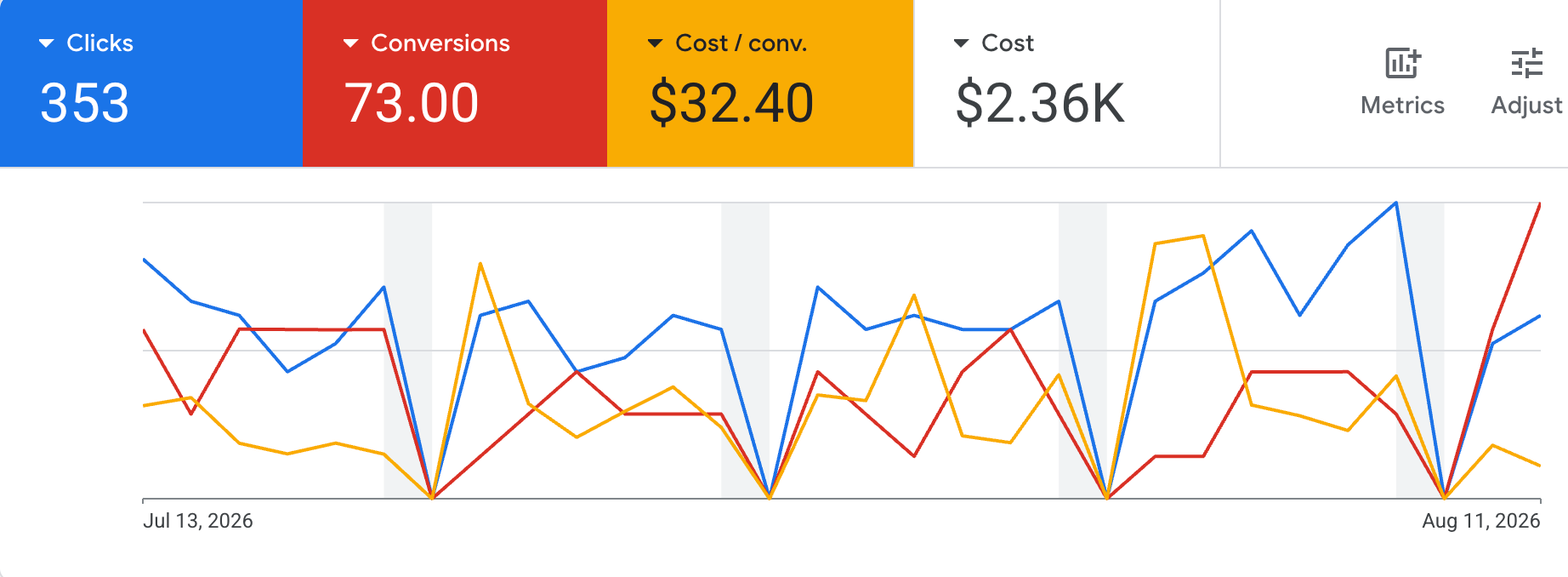
- Tracked conversions in 30 days
- 73
- Cost per conversion
- $32.40
The problem: numbers nobody could trust
Hi-Tech Auto Repair in Reno, NV had Google Ads running on Smart Campaigns. Google was making the targeting and budget calls, and nobody had set up a plan for the account.
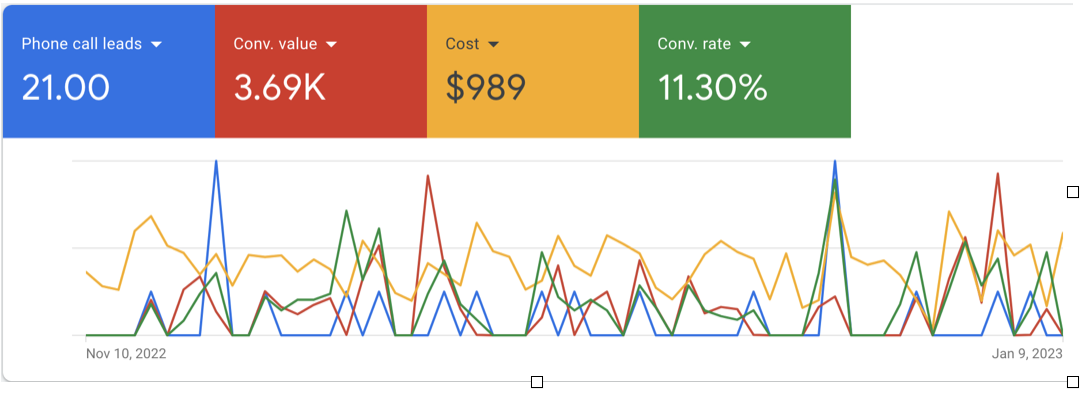
The reporting looked fine at a glance. But a lot of what counted as a “result” was people pulling up directions to the shop from its Google Business Profile, blended with whatever Smart Campaigns decided to report. None of it was a confirmed phone call or form submission. The shop had no way to know which leads the ads were actually sending.
The fix
We shut off the Smart Campaigns and rebuilt the account by hand:
- Search campaigns split by service and location, instead of one catch-all, so we decide which searches trigger an ad.
- Click-to-call and form tracking on the website, so a conversion means someone actually called or got in touch.
Smart Campaigns don’t show much about why money goes where it goes. With hand-built Search campaigns, every ad maps to a search we chose. With tracking on the site, every conversion maps to a real lead.
What changed
Once tracking was counting the right things, the calls showing up in the account were real phone leads. The shop’s manager noticed the jump in calls almost right away and asked what we’d changed.
The bigger lesson: if tracking counts the wrong things, more conversions in the report don’t mean much. Getting measurement right is often what lets you see whether anything else is working.
Project photos
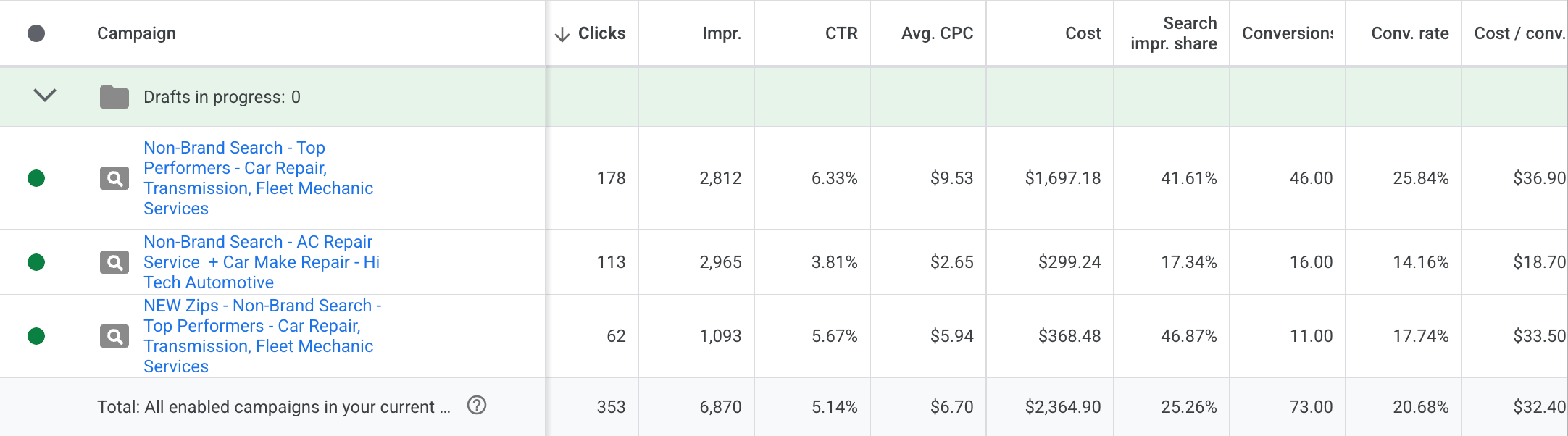
The rebuilt account: separate Search campaigns by service and area.